Public SMS Inbox or Private Number App? Choose by the Job, Not the Brand
Public SMS Inbox or Private Number App? Choose by the Job, Not the Brand
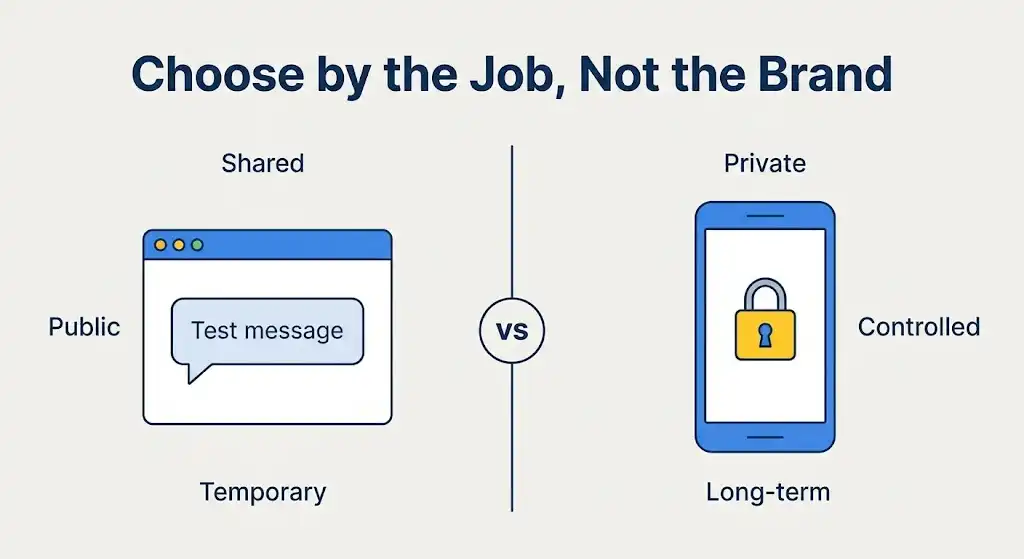
Picture two people who both say they need “a second number.” One wants to see whether a harmless test notification shows up on screen. The other wants a line for calls and replies over the next two months. They need different tools, and the mistake is to treat the choice as a brand contest.What each option gives you
| What you need | NeedGetSMS (shared public inbox) | Private number app |
|---|---|---|
| Viewing one low-risk incoming text | A fit when the sender accepts shared numbers | Works, though setup may outweigh the task |
| Messages that must stay private | Wrong category, since the inbox is public | Usually the better choice |
| Calls and outgoing texts | Not what a public inbox is for | Often offered, depending on the provider |
| Recovering an important account later | Not suitable | Possible only while you keep control of the number |
| Opening it straight from a browser | Built for this | May need an app, an account, or a subscription |
When the shared inbox is enough
NeedGetSMS offers shared, public, temporary numbers, so the job has to be narrow. Inspecting a harmless notification, testing how a form handles an international format, or comparing an SMS route between countries all qualify. Teams also use this kind of inbox early on, before they move to a private number or a controlled QA setup.
Keep the limits in view. Other visitors may see incoming messages. A number can be reused or disappear later. Some senders recognize shared or virtual ranges and refuse them before a text is ever sent.
When control matters more
If you need the same number for weeks, expect recurring messages, want calls or outgoing texts, or can’t have conversations sitting on a public page, a private second-number app is the better fit. Registration, a payment method, and renewals come with it, and they pay for the extra control.
Some situations call for more than either option. A business VoIP system adds team access, call routing, voicemail, and admin settings. For important personal accounts, a physical SIM or a method the service itself approves is the safer base.
Four checks before you decide
- Privacy: Would a stranger reading the message cause harm?
- Continuity: Will you need this number again later?
- Function: Do you need calls or outgoing messages?
- Policy: Does the sender allow public temporary numbers?
Three easily confused trade-offs
Access isn’t ownership. Seeing a message in a browser doesn’t mean you own the number. A public inbox gives you a view for a short observation, while a private app aims to give one user lasting control.
Speed isn’t continuity. A quick check is convenient, but convenience creates no recovery path. Private services take longer to set up because they’re meant for repeated use.
Price isn’t suitability. A free number is the wrong one if the message is confidential or the account must stay reachable. A paid plan is wasted if all you wanted was to look at one harmless test message.
No category wins for everyone. The public inbox is quicker for a narrow test, the private app is stronger for ongoing use, and the task decides which one you want.
Important: NeedGetSMS is not a private phone line. It is a shared, public, temporary option for permitted, non-sensitive SMS observations.
Visit the NeedGetSMS directory when a browser-based public test fits your needs, and read the acceptable-use rules before starting.
This article is original editorial content published by NeedGetSMS. It does not provide instructions for bypassing verification or accessing accounts that are not yours. See our Acceptable Use Policy and Privacy Policy.