How It Works
How NeedGetSMS Works: A Quick Guide to Shared Temporary SMS Numbers
Need a temporary number for a quick test? NeedGetSMS lets you pick a country, open a shared inbox, and read incoming texts in your browser. There’s no app to install, and basic access doesn’t need an account.
One thing to know first: the numbers are shared and public. Other visitors may see the messages a number receives. So use it for non-sensitive tests, not for private chats or accounts that matter.
How to use NeedGetSMS
1. Open the site
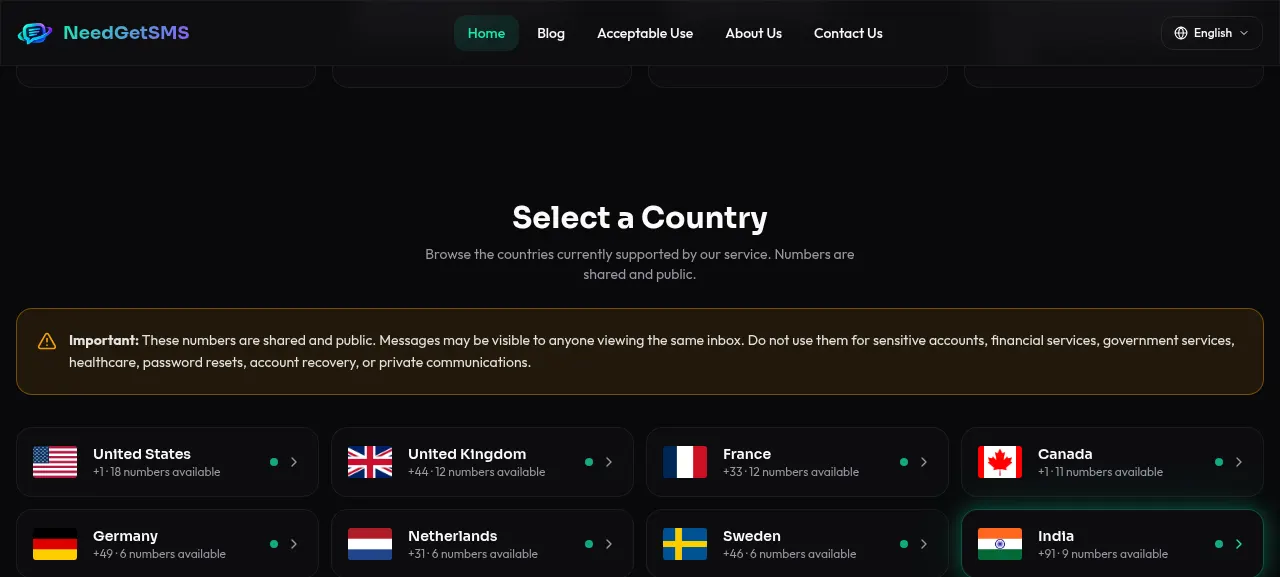
Go to needgetsms.com and click Browse Shared Numbers, or scroll down to the country list. The homepage lists the main limits, so read the safety notice before you pick a number.
2. Choose a country
Under Select a Country, pick the one that fits your test. Each entry shows the country, its calling code, and how many numbers are available right now. That count changes often, so your list may not match this article.
The country list is dynamic. Availability can change by carrier, number, or service status.
3. Pick a number
Once you choose a country, you’ll see the active numbers. Open one to view its public inbox. If it doesn’t receive anything after a fair wait, try another.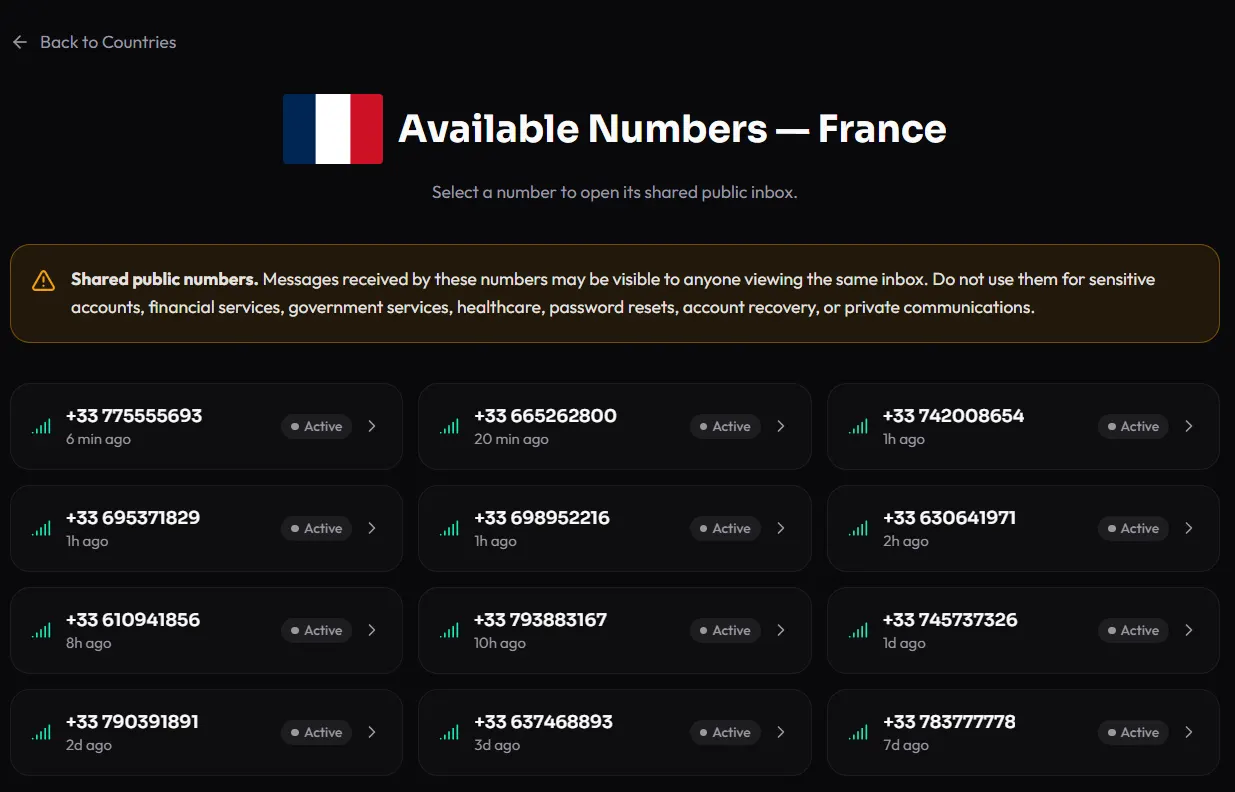
4. Open the inbox
The inbox page shows the number and the messages it has received. If the service you’re testing accepts temporary numbers, enter the number there, then come back here and wait for the text.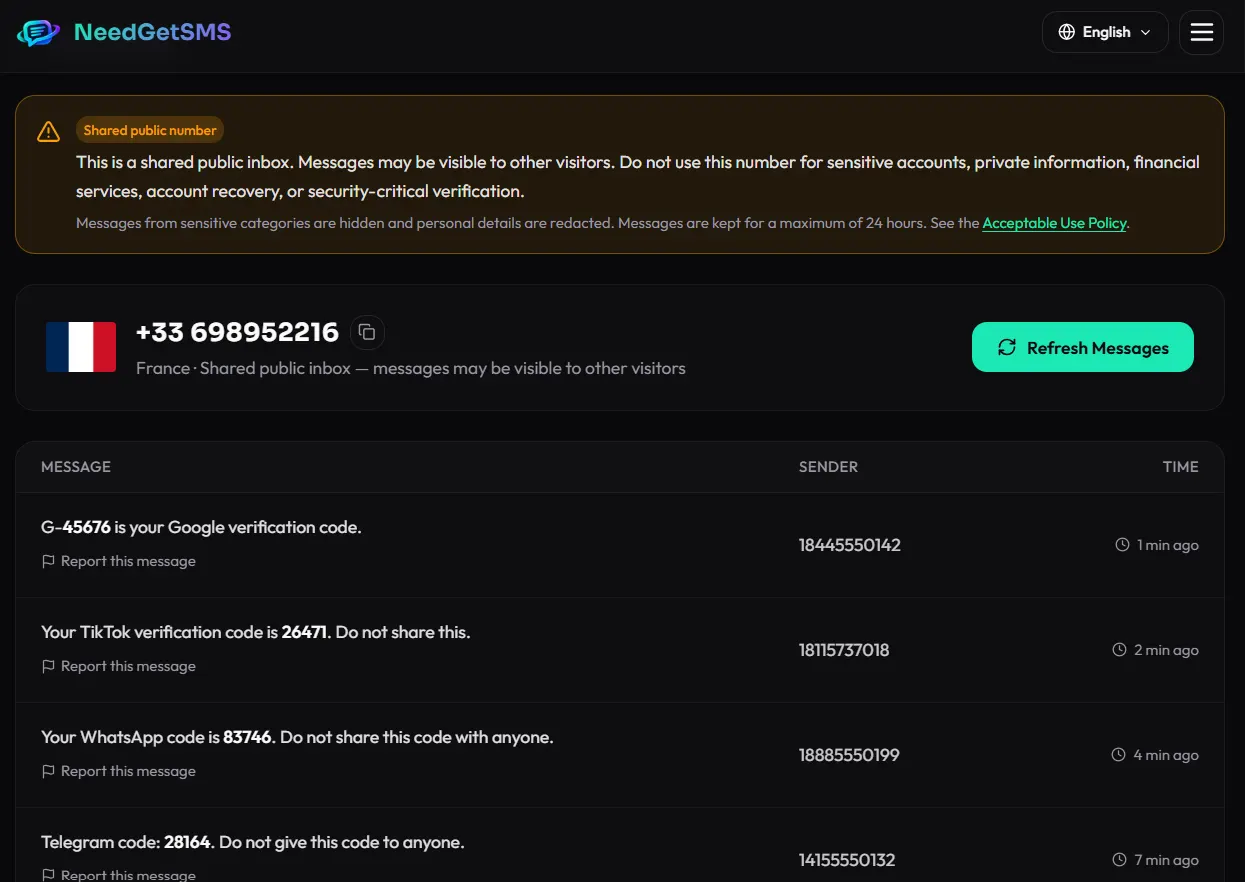
Since the inbox is public, never enter personal details or anything that has to stay private. The site itself warns that anyone viewing the same inbox may see the messages.
5. Wait, then refresh
Delivery isn’t always instant. It depends on the carrier, the sending service, the number, and current system status. If nothing shows up, wait a moment and click Refresh Messages.
Still nothing? Try a different number, or check whether the service allows temporary numbers at all. Don’t try to get around a service’s restrictions just to force a code through.
6. Finish the test
Use the message only for the test you started. Don’t share the code, don’t paste private information into a public inbox, and don’t rely on a shared number for an account you might need to recover later.
What happens behind the scenes
- You choose a country and a public number.
- A third-party service sends an SMS to that number.
- The mobile carrier delivers it.
- NeedGetSMS shows the message in the shared inbox.
- You refresh if it takes a while.
The number isn’t yours alone. Other people may be looking at the same inbox, and the same number can be used for several tests. That’s why NeedGetSMS calls it a shared public inbox, not a private phone line.
What it’s good for
A shared number can help when the service explicitly allows temporary numbers and nothing sensitive is involved. For example:
- Testing an SMS notification or sign-up flow during development.
- Checking whether a service sends messages to a certain country or number format.
- Running a quick QA test without using your own number.
- Trying a sign-up where the service permits temporary numbers.
Always read the rules of the service you’re testing. A number can work technically and still break that service’s terms.
When not to use it
Skip shared numbers for:
- Banking, payments, financial services, or crypto accounts.
- Government, healthcare, employment, or identity services.
- Password resets, account recovery, or any security-critical check.
- Private messages or confidential information.
- Anyone else’s account or messages.
- Getting around authentication, identity checks, or anti-abuse systems.
- Fraud, impersonation, harassment, spam, phishing, or other illegal activity.
- Creating more than one account against another service’s rules.
The full rules are in the NeedGetSMS Acceptable Use Policy.
Common questions
Do I need an account?
No. Browsing and reading the public inboxes needs no registration and no app.
Are the messages private?
No. The inboxes are shared and public, so never use one for personal or sensitive information.
Can I keep a number for a long-term account?
No. Numbers, carrier support, and availability can change, so a shared number is a poor long-term contact.
Why hasn’t my SMS arrived?
The cause could be the carrier, the sending service, the number, or system status. Wait a bit, refresh, and try another number. If the service rejects temporary numbers, use an allowed alternative instead of working around its checks.
Can I use it for private conversations?
No. It’s built for non-sensitive testing, not private messaging.
The short version
Choose a country, pick a number, open its inbox, and wait for the SMS. It’s handy for testing, but remember the biggest limit: every inbox is public.
Interface details and availability can change as the service is updated. The screenshot in this guide is included for orientation only.
This article is original editorial content published by NeedGetSMS. It does not provide instructions for bypassing verification or accessing accounts that are not yours. See our Acceptable Use Policy and Privacy Policy.